Picture Downloads
If you are using Microsoft Internet Explorer 8.0+, your browser's default is set to "Automatic Image Resizing".
This means that once an image within this site is downloaded it will automatically shrink or enlarge to fit the window.
To view the image at actual size, place your mouse over it and an icon (See Diagram Below) will pop up. Click on the icon and, provided your
window is maximized, it will appear normally.
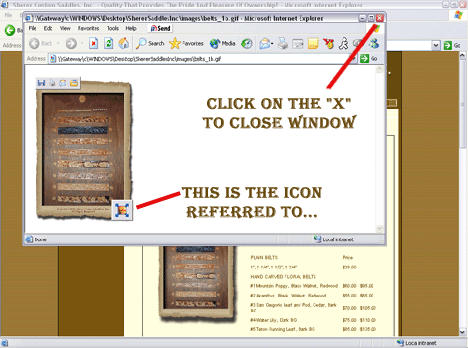
However, If you would like to turn off this option, go to "Tools" and click on "Internet Options".
Click on the folder "Advanced" and scroll down to "MultiMedia". Uncheck the box "Enable Automatic Image Resizing".
Browser Requirements
Are you having problems viewing with this Web site?
If you would like to report a broken link or you are having trouble with any part of this site,
please
e-mail the CSC Development support team!
Important Note: These pages are best viewed with Microsoft Internet Explorer 8 or better, 1024x768 resolution.
If you are using any other browsers, i.e. Netscape - there is a possibility that certain pictures and graphics will be
distorted!

|